
Promo and partner codes
For admins
There are two kinds of code, and they do different things:
| Promo code | Partner code | |
|---|---|---|
| What it does | Takes money off a paid plan. | Hands your workspace’s billing to an Atlato partner. |
| Where you enter it | When you choose or upgrade to Pro or Max. | The Partner code card on Admin → Billing. |
| Who bills you | Atlato, as usual. | The partner, for the credits in their package. |
Before you begin
Section titled “Before you begin”- You need permission to manage billing. The Owner and members on the built-in admin role template have it. Without it, the Partner code card doesn’t appear.
Use a promo code
Section titled “Use a promo code”-
Select Admin in the rail, then Billing.
-
On the Plan card, select Choose Pro, Choose Max or Upgrade to Max.
-
Type the code in Promo code. If you signed up through a link that carried a code, it’s already filled in.
-
Check the total below the field. A moment after you type the code, it shows a Promo code line with what the code takes off, then any tax and the amount Charged today.
-
Select the button that names the total, such as Pay US$ 90.00 and choose Pro for a code that takes 10% off Pro.
What the code takes off, and for how long, depends on the code. The discount also shows on your invoice in Billing history.
- If a code won’t work, the dialog says so before you pay, for example That promo code isn’t valid.
- A code works once per workspace. Using it again says This workspace has used that promo code already.
- Codes apply only when you’re charged straight away, when choosing or upgrading to a plan. You can’t add one when you switch to a smaller plan at renewal, because nothing is charged then.
Redeem a partner code
Section titled “Redeem a partner code”An Atlato partner can manage your workspace’s billing for you. They give you a 16-character code. Once you redeem it, your credits come from the partner’s package, and the partner bills you for them.
-
Select Admin in the rail, then Billing.
-
On the Partner code card, type the code in Partner code. Dashes and capital letters don’t matter.
-
Select Redeem.
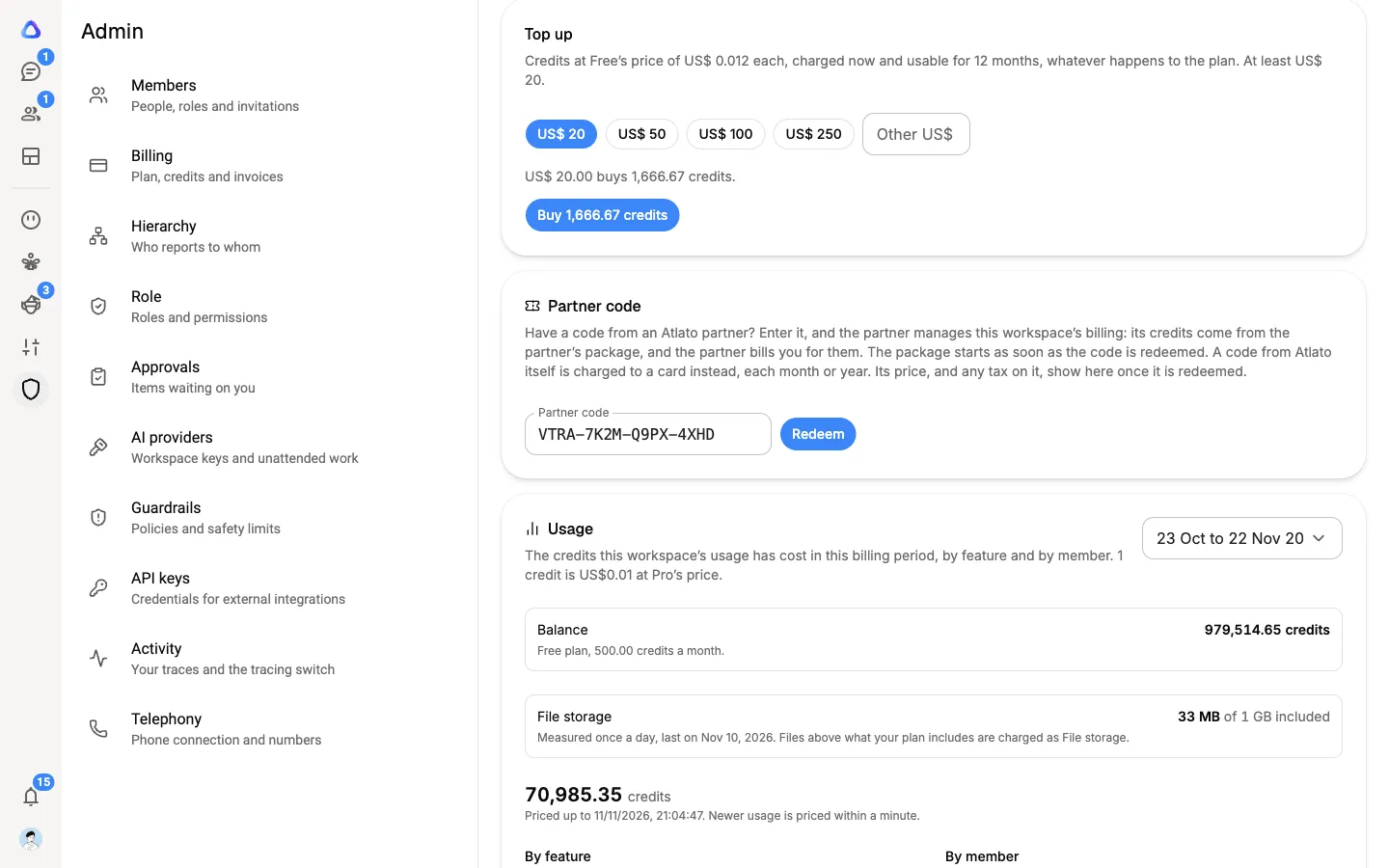
The page confirms it, for example Billing is now managed by the partner’s name, or tells you the date the partner’s package starts.
When a partner manages your billing
Section titled “When a partner manages your billing”Admin → Billing shows a Billing managed by card with the partner’s name in place of the plans. It shows your package: how often it renews, its credits, its price if the partner shares it, how many members it allows, and whether top-ups are part of it.
- Need more credits? If your package allows it, use Request a top-up to ask the partner for more, in steps of 1,000 credits. The partner adds them and bills you.
- Want to change the package? The card tells you who to contact.
- When a package ends, the workspace moves to Free.
You can’t choose a plan or buy top-ups from Atlato while a partner manages your billing. Usage, member credit limits and invoices for anything Atlato charged before still show as usual.
A code from Atlato
Section titled “A code from Atlato”Atlato can also give you a code for an Atlato package. It works like a partner code, except the package is charged to your card on file each month or year, plus any tax. You need a card and a billing address on the workspace before you redeem it, and your bank may ask you to confirm the first payment. The card then reads Your Atlato package, with the package’s Price and the date of its Next charge.