
Atlato agents
Atlato agents are ready-made agents for everyday jobs, written by Atlato. Each comes with its instructions and the skills it needs already set up, so you add it, connect any apps it uses, and start chatting.
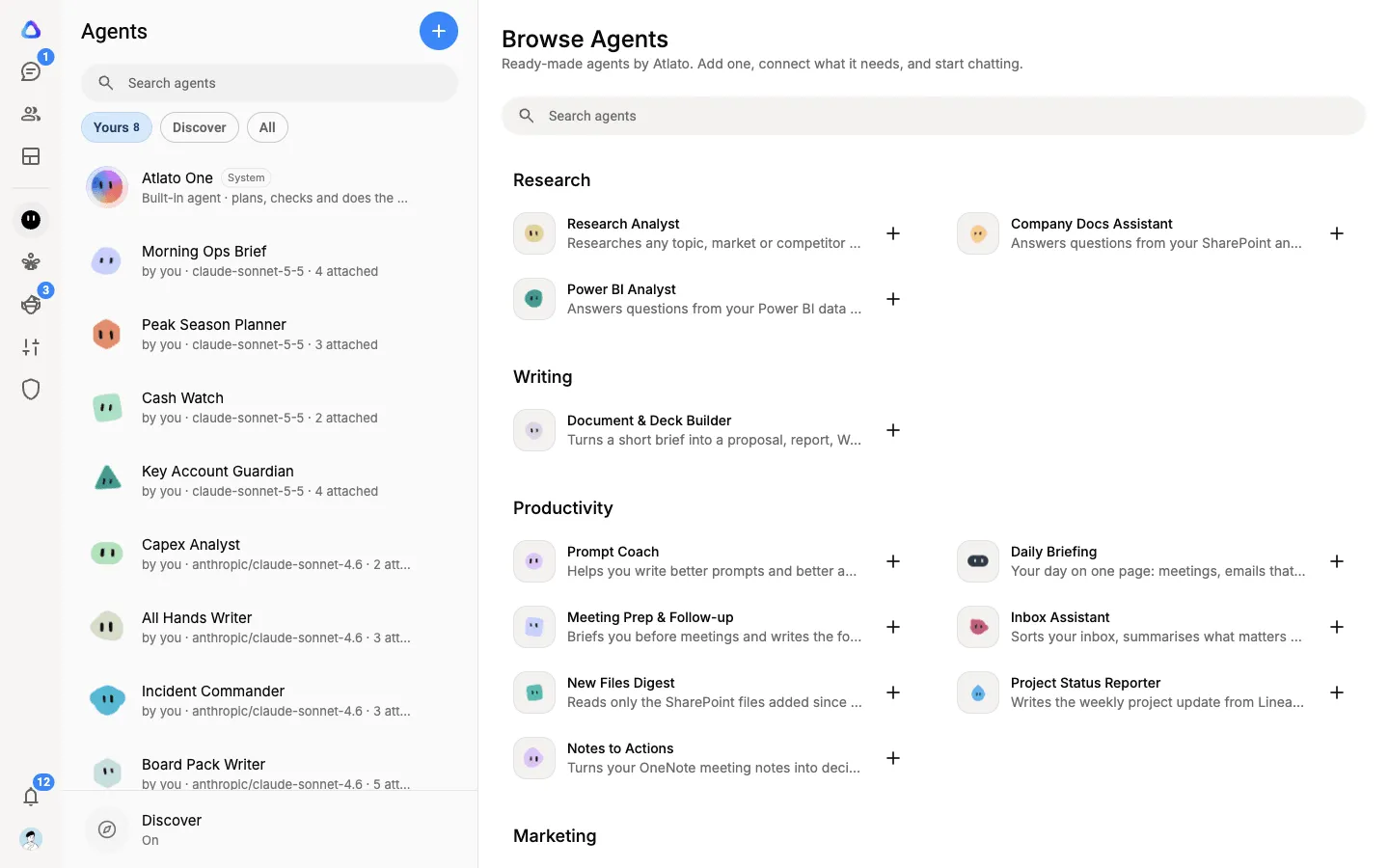
The gallery includes agents such as Research Analyst, Document & Deck Builder, Content Writer, Prompt Coach, Inbox Assistant, Meeting Prep & Follow-up, Daily Briefing, Notes to Actions, Company Docs Assistant and Power BI Analyst. Some work on their own; others need you to connect apps such as Outlook, SharePoint or Power BI.
Browse the gallery
Section titled “Browse the gallery”Select Agents in the sidebar. With no agent open, the main area shows Browse Agents: the Atlato agents grouped by category (Research, Writing, Productivity, Marketing, Sales and Finance). Use Search agents to find one by name or by what it does.
Add an Atlato agent
Section titled “Add an Atlato agent”-
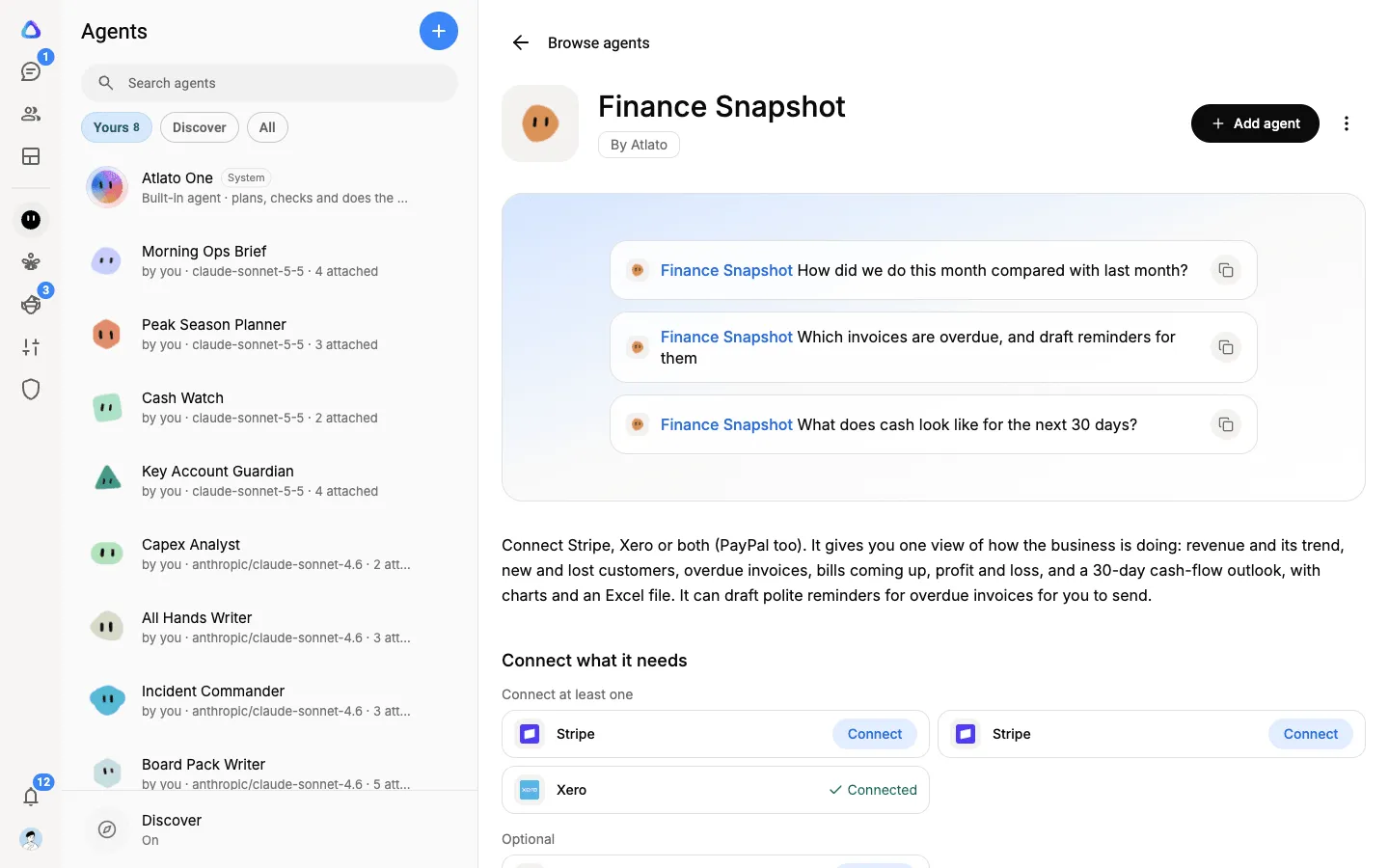
Select an agent’s card to open its page. It shows what the agent does, and:
- Connect what it needs: the apps it uses. Each shows Connected if you have already signed in to it, or a Connect button. Where a group says Connect at least one, any one of those apps will do. Apps under Optional never block you.
- Skills it brings: the skills it follows. Select View to read one.
- Good to know: anything worth knowing before you use it.
- Information: its model, category, and whether it can search and read the web.
-
Select Connect beside each app it needs and sign in.
-
Select Add agent.
The agent joins your Agents list, marked By Atlato, and its chat opens. An agent that needs no apps can be added straight from the gallery: select + on its card.
On a card you have already added, Added opens your agent’s chat.
Each person adds their own
Section titled “Each person adds their own”Apps are connected per person, so an Atlato agent is added by each member who wants it. When a teammate adds the same agent, it uses their own sign-ins, not yours. If they have already connected an app, they don’t need to sign in again.
Updates and your own version
Section titled “Updates and your own version”An Atlato agent follows Atlato’s updates, so you can’t change its instructions or settings. To make your own version, open the agent’s menu (⋮) in your Agents list and select Duplicate to edit. The copy is a normal agent of your own: change anything you like, and it no longer follows Atlato’s updates.
If you can’t add an agent
Section titled “If you can’t add an agent”The Add agent button stays greyed out until the agent can work for you. Hover over it to see why:
- Connect what it needs first: connect the required apps.
- Compatible model not found: the agent needs a particular model, and none of your AI connections serves it. Connect a subscription or an API key for that model, then try again. See Compatible model not found.
- A connector this agent needs is not available yet: one of the apps it needs isn’t offered in your workspace.