
Memory
Memory is what the assistant keeps between chats: your role, your preferences, how you like answers written. It saves you from explaining the same things in every new chat. Memory is separate from your chat history: a chat is what was said once, memory is what stays true across all of them.
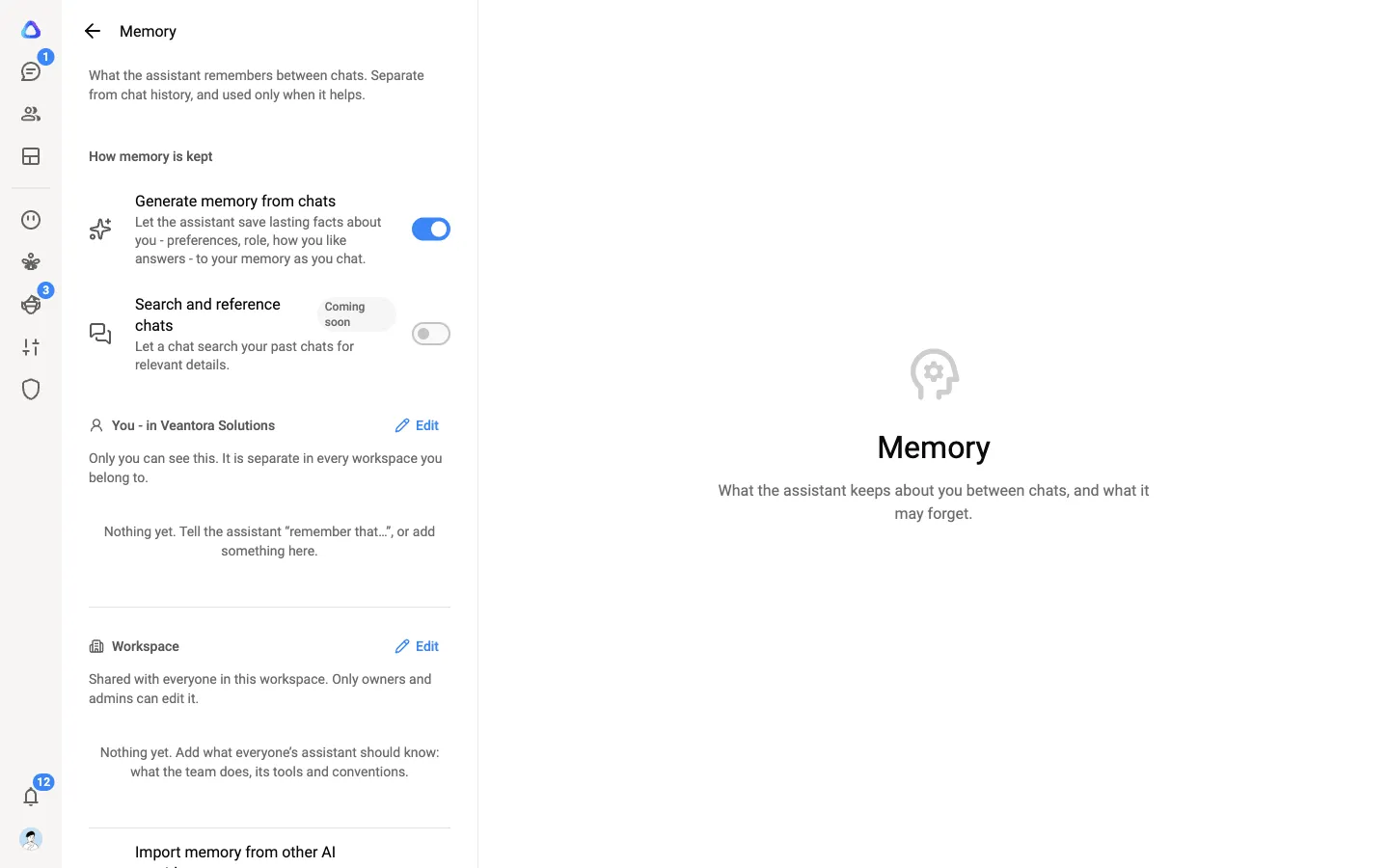
There are two memories, and you can see and change both in Settings → Preferences → Memory.
| Memory | Who sees it | Who can change it |
|---|---|---|
| Your memory | Only you. It is separate in every workspace you belong to. | You, and the assistant as you chat. |
| Workspace memory | Everyone in the workspace. Every member’s assistant can consult it. | Workspace owners and admins. |
Your memory
Section titled “Your memory”The assistant uses your memory in your chats, so it already knows the basics about you. Nobody else in the workspace can read it, owners and admins included.
Let the assistant learn as you chat
Section titled “Let the assistant learn as you chat”With Generate memory from chats on (it is on by default), the assistant saves lasting facts about you as you chat. When it does, a small note appears in the chat, such as Saved to your memory: “Prefers answers as bullet points”. Select Undo on the note to take it back.
You can also ask directly: “Remember that I manage the Sydney office” or “Forget that I prefer short answers”.
To stop it saving anything, turn Generate memory from chats off. Anything already saved stays, and the assistant still uses it, until you remove it. While the switch is off, the assistant can’t save to your memory even when you ask.
Edit it yourself
Section titled “Edit it yourself”-
Open Settings → Preferences → Memory.
-
Under your memory, select Edit.
-
Add, change or delete lines, then select Save.
Your memory holds up to 4,000 characters. A counter under the editor shows how much you have used. Keep it to short, lasting facts: it is a page of notes, not a diary.
Workspace memory
Section titled “Workspace memory”Workspace memory holds what everyone’s assistant should know: what the team does, the tools it uses, its conventions and key terms. The assistant reads it when it helps, but never changes it.
If you are a workspace owner or admin, select Edit under Workspace to change it. It holds up to 8,000 characters.
What memory is not for
Section titled “What memory is not for”Memory is for lasting facts, not secrets. The assistant doesn’t save passwords, keys, card or bank numbers, one-off task details or private information about other people, and anything it tries to save that looks like a password, key or card number is refused. Keep those out of anything you type into memory yourself, too.