Code and answer cards
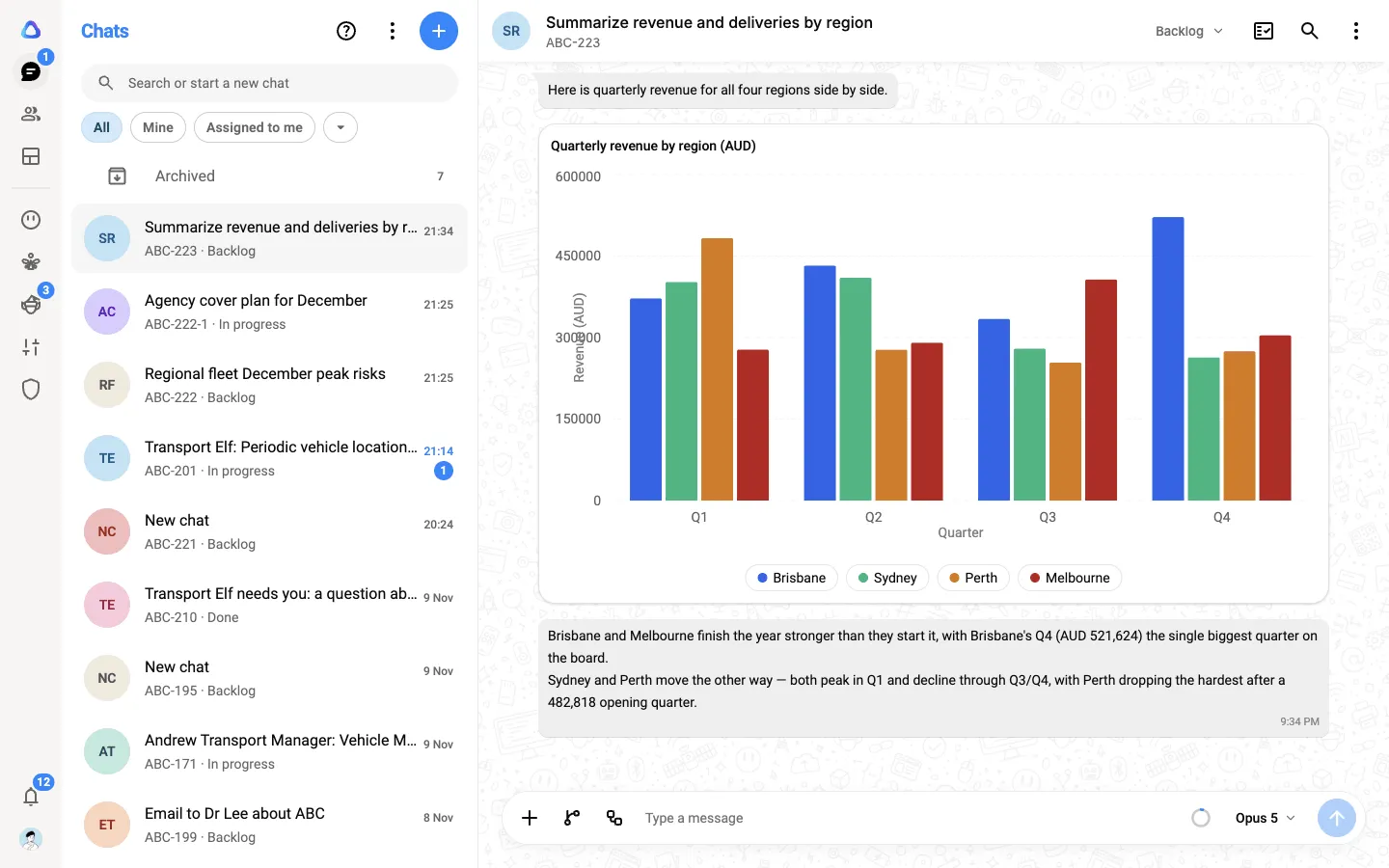
Not every answer is best as a wall of text. The AI in a chat can run code to work things out, and it can answer with ready-made cards: a chart for numbers, a map for places, a recipe with timers. You don’t need to ask for either, but you can.
Code that runs safely
Section titled “Code that runs safely”When a question needs real work on data, such as totalling a spreadsheet, cleaning a CSV, converting a file or building a document, the AI can write code and run it in a secure, isolated space set aside for your chat. Nothing it runs touches your computer.
You see each step in the reply as it happens, for example Read sales.xlsx, Ran a command or Created report.pdf. Select a step to see the command and its output.
Files the code creates, such as a PDF, a Word document, an Excel workbook, a PowerPoint deck or a CSV, appear in the reply for you to preview or download.
Things to know:
- The files you attached to the chat are available to the code.
- Running code counts toward your usage, shown as Code sandbox in My usage.
- When the AI writes a web page, it shows as a code card in the reply. Select View code to see more of it, or Copy code to copy it.
Answer cards
Section titled “Answer cards”Where a card shows the answer better than text, the AI uses one. Cards sit inside the reply, and many of them are interactive.
| Card | Good for |
|---|---|
| Charts | Numbers over time or side by side: line, area, bar, stacked bar, scatter, radar and radial charts |
| Pie charts | Parts of a whole, such as a budget split |
| Tables | Lists of rows, plain or styled with badges, links and progress bars |
| Comparison table | Two to six products compared feature by feature |
| Info card | One thing summed up: a company, a person, a product |
| Product carousel | Competing products with pictures, prices and ratings |
| Featured pick | One recommendation, with the reasons for it |
| Map | Places on an interactive map |
| Places | A ranked list of cafes, restaurants, hotels and other venues |
| Itinerary | A trip or plan, one tab per day |
| Steps | Instructions you can follow one step at a time |
| Options | Different ways to reach a goal, each with its own steps |
| Recipe | Ingredients you can scale by servings, and steps with timers |
| Quiz | A short quiz or assessment, with answers checked as you go |
| Question | A follow-up question with suggested answers you can select |
| Message draft | An email or message ready to copy or open in your app |
| Translation | Text in another language, with a pronunciation guide where it helps |
| Weather | A forecast for a place, day by day |
| Clock | The time somewhere, in digital and on a clock face |
| Drawing | A simple diagram or picture the AI draws |
| Contact picker | Choose who to call from your workspace’s phone book |