
Web search
A web search tool lets the AI look things up on the live web: today’s news, current prices, a release from last week, anything it cannot know on its own. You choose the search service and use your own account with it.
Before you begin
Section titled “Before you begin”- You need an API key from one of these services:
- Tavily: from tavily.com. The dashboard calls it an API key.
- Perplexity Sonar: from perplexity.ai. An API key on your account, not your login.
- Perplexity Sonar via OpenRouter: from openrouter.ai. One key covers every model it routes to.
- Adding web search tools depends on your role. If yours can’t, an admin can add a tool and share it with you.
Add a web search tool
Section titled “Add a web search tool”-
Open Personalization → Web search and select Add web search, or + on the list.
-
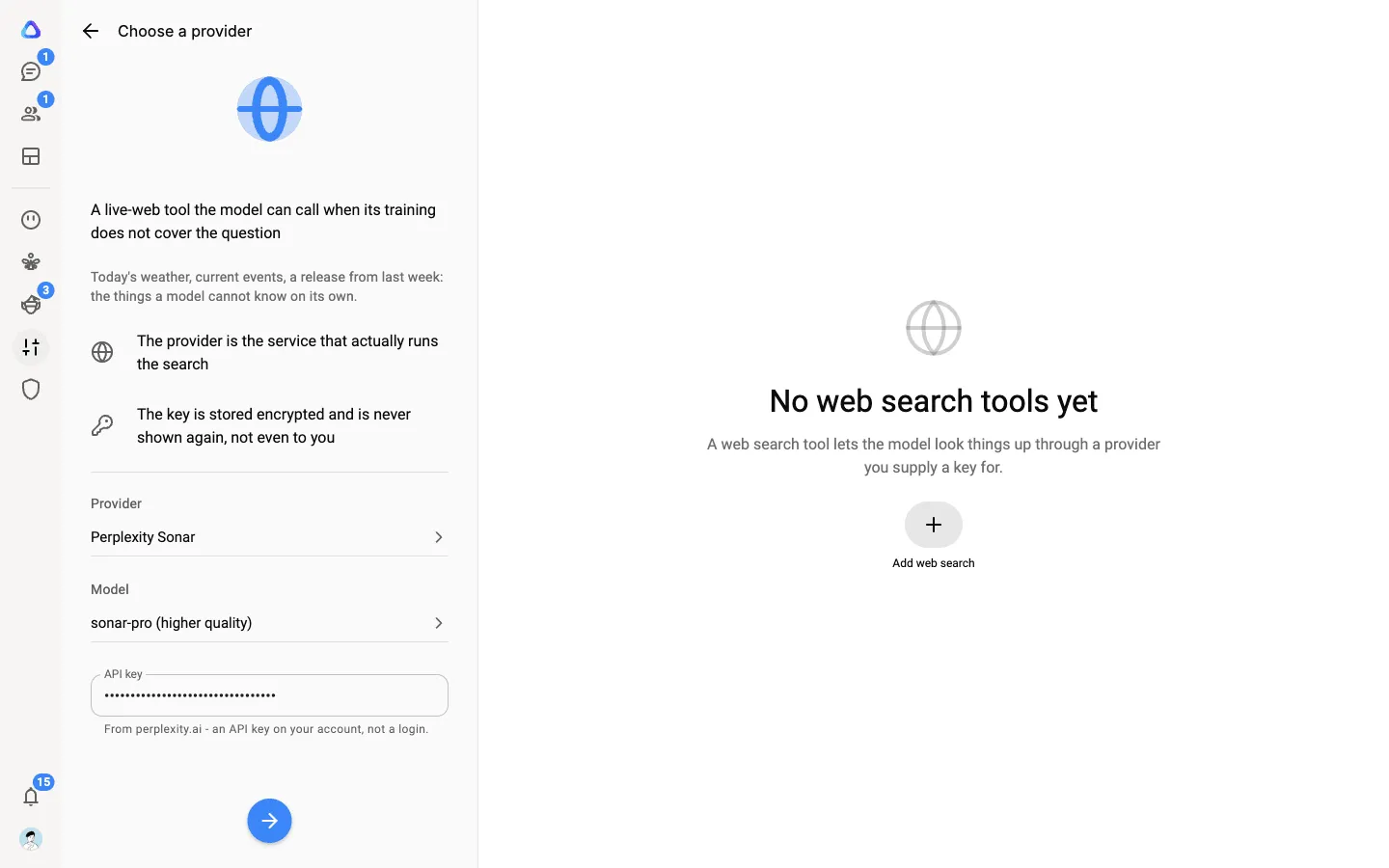
Under Choose a provider, pick the Provider. For Perplexity, also pick a Model:
sonaris fast and low cost,sonar-progives higher quality answers. -
Paste your API key and select Next.
-
Give the tool a name and, if you like, a description. The description helps people choose between your tools; the AI never reads it.
-
Choose who can see it (Only me, Shared with or Anyone), then select Add web search tool.
Choose your default
Section titled “Choose your default”Your default is the tool chats use when nothing names a particular one. It is your own choice: everyone in the workspace picks their own.
-
Open the tool from your Web search list.
-
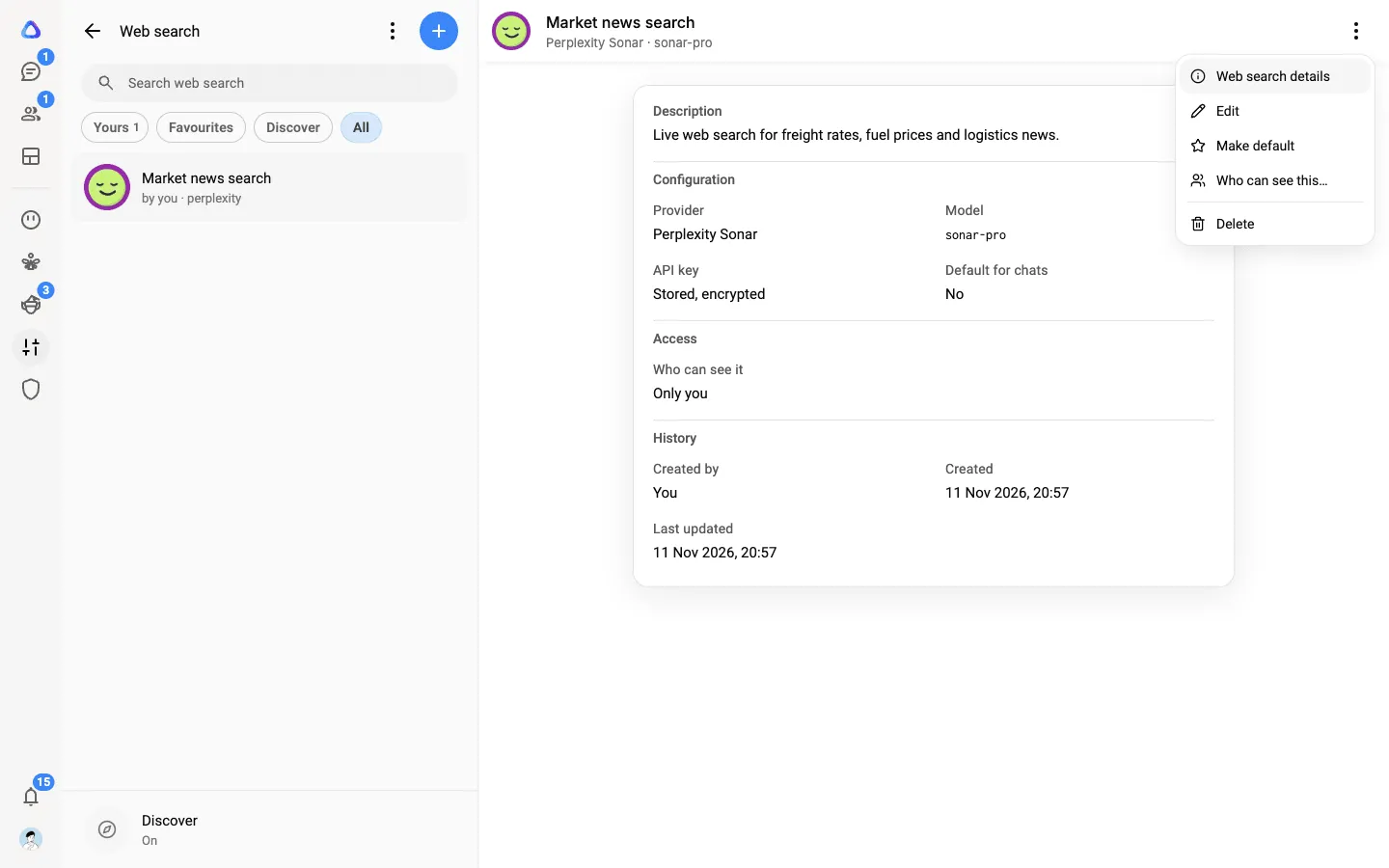
Select ⋮ → Make default.
The tool’s page now says Default for chats: Yes. To stop using it automatically, select ⋮ → Clear default.
Use web search in a chat
Section titled “Use web search in a chat”There is nothing to pick. When a question needs current information, the assistant searches the web for you. See Files and web search in chats.
Change or remove a tool
Section titled “Change or remove a tool”- ⋮ → Edit: change the provider, model or key. Leave the key blank to keep the one already stored.
- ⋮ → Delete: chats stop using the tool, and its stored key is removed.
If the tool’s page says the key is Not set, the tool can’t run until you save a key.