
Breakaways
A breakaway is a smaller piece of work split off from one of your AI chats and handed to someone else. You pick exactly which messages and files go with it, so whoever takes it starts with the context they need and nothing more.
You can hand a breakaway to a teammate, to yourself, to one of your agents, to Atlato One, to one of your elves, or to a pixie that makes a phone call for you.
You can also start one from messages in a team, for the same people, agents, elves and pixies. See Turn messages into a task.
How a breakaway works
Section titled “How a breakaway works”- You choose what to carry. In your chat, tick the messages (and files) the work is about.
- A copy is taken at that moment. If you edit or delete those messages later, the breakaway keeps what it had. The rest of your chat stays private.
- You say who takes it and what you need. Give it a name and a task aim, and, if you like, the file formats you want back, a priority and a due date.
- They work on it in a chat of their own. If either of you has a question, use Ask, a private chat for just the two of you.
- They hand it back. They submit a note and the files that show the work is done.
- You approve or reject it. Approving copies their files onto your task. Rejecting sends it back with your note.
Agents and elves do steps 4 and 5 on their own: they start as soon as you create the breakaway and hand the result back when they finish.
What each side can see
Section titled “What each side can see”For a breakaway handed to a teammate:
| You (who asked) | Whoever takes it | |
|---|---|---|
| Your chat | Yes | No, only the messages and files you ticked |
| The breakaway’s chat | No | Yes |
| The brief, deliverables, priority and due date | Yes, in Breakaway details | Yes, in Task details |
| What they hand back | Yes | Yes |
Each AI chat belongs to the one person working in it. Nobody else can read it: not the person who asked, not other teammates, and not the workspace owner. What you see of their breakaway is its details and what they hand back to you.
Work you hand to an agent or an elf is different: you are the one following it, so its chat is yours to open and add to.
Where you find breakaways
Section titled “Where you find breakaways”In the chat you made it from. Select Approvals & Submissions at the top of the chat. It lists a card for each breakaway you made from that chat, and for everything handed back. Select Details on a breakaway’s card to read its brief. The button shows a count when something new arrives.
In Task details. Select the chat’s name at the top of the chat to open Task details. Breakaways made from this chat are listed under Sub tasks · breakaways, each with the face of whoever has it. Select Details on one to read its details. On a breakaway you handed to a teammate, Open Breakaway Chat opens your private Ask chat with them (see Ask a question privately).
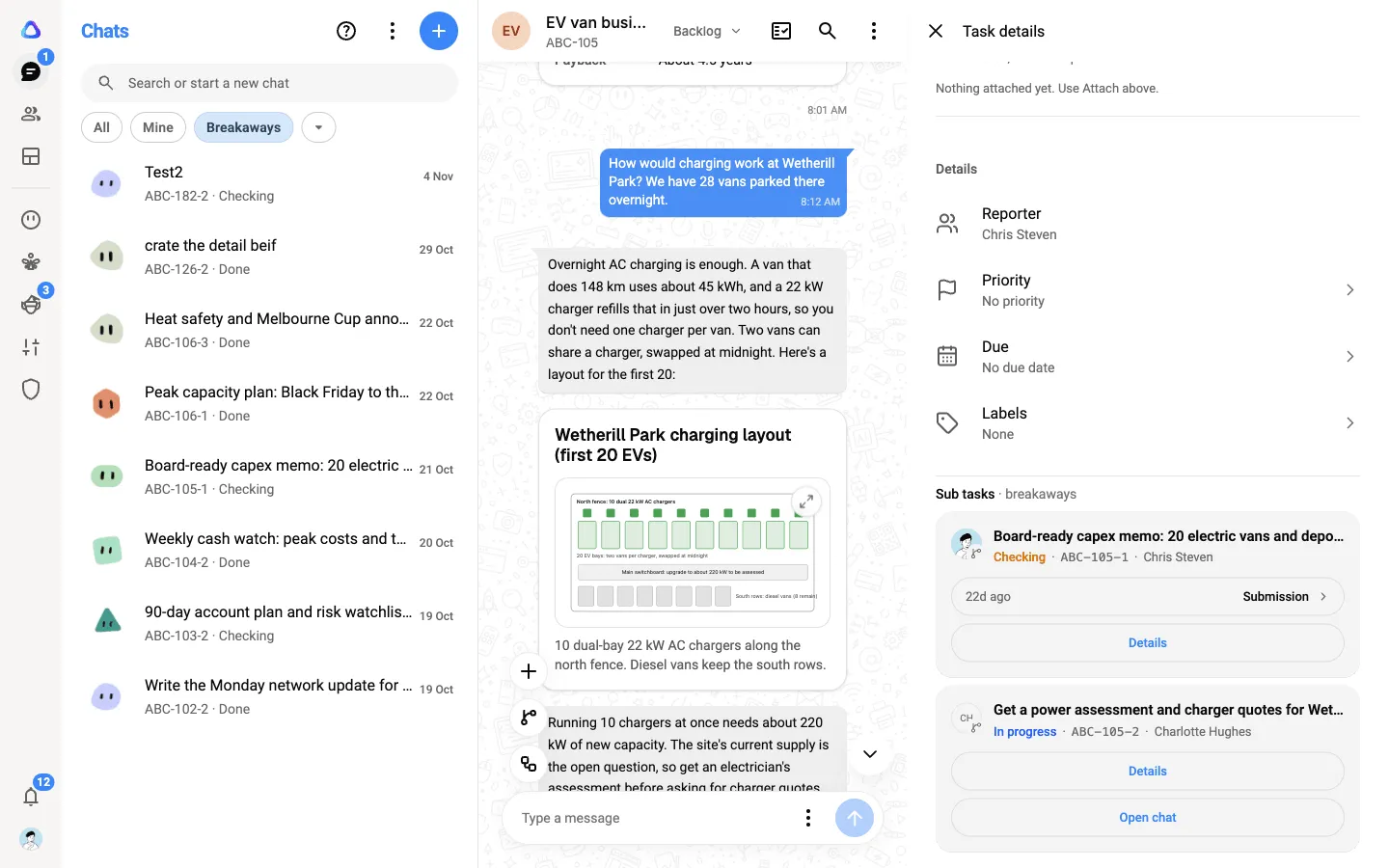
In your Chats list. A breakaway handed to you arrives as a new chat in Chats, marked unread, and is listed under the Assigned to me chip. Work you handed to an agent is listed under the Breakaways chip.
Status
Section titled “Status”Every breakaway has a status, shown in its details and beside its key in the Chats list:
| Status | What it means |
|---|---|
| Backlog | Created, and not opened yet by whoever has it |
| In progress | They have opened it, or you sent it back for changes |
| Checking | Handed back, and waiting for you to approve or reject |
| Done | You approved it |
Breakaways inside breakaways
Section titled “Breakaways inside breakaways”Whoever takes a breakaway can split their own part out again, and hand that on. Work can be broken down this way up to 10 levels deep.