
Notifications
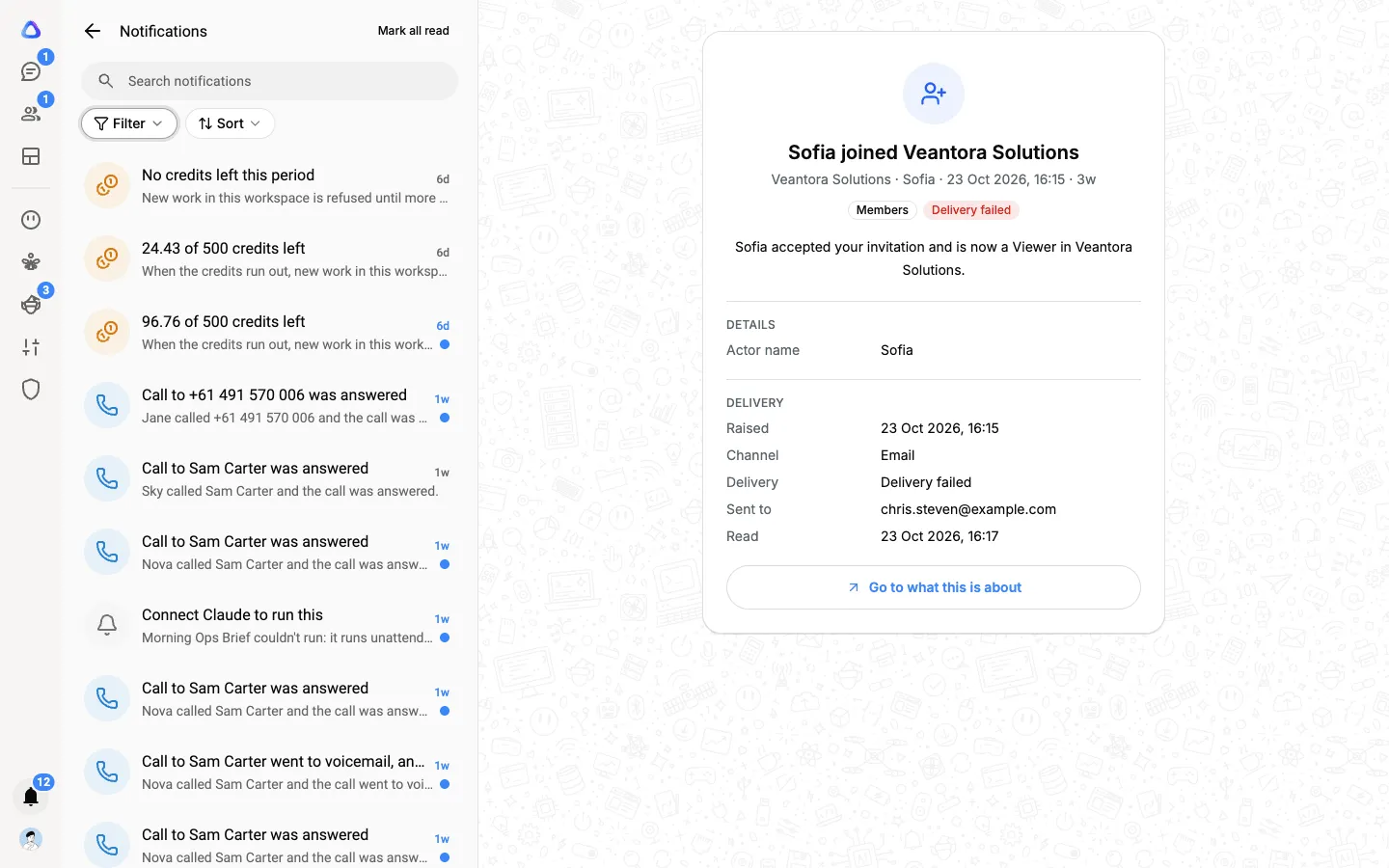
Notifications tell you about things that happen away from your chats: someone joined the workspace, credits are running low, a request is waiting for your approval. They collect behind the bell at the bottom of the left rail.
Most of your work announces itself in Chats instead. A breakaway handed to you, work handed back, an approval inside a chat, or an elf that needs you all arrive as chats with an unread count. Anything that shows in a chat isn’t repeated in the bell, so you never have to clear the same thing twice.
Open your notifications
Section titled “Open your notifications”-
Select Notifications (the bell) at the bottom of the left rail. A number on the bell shows how many you haven’t read.
-
Select a notification to read it in full. It is marked as read.
-
To go to what it is about, such as the billing page or a workflow run, select Go to what this is about.
Find and tidy
Section titled “Find and tidy”- Search notifications: type a word and press Enter.
- Filter by source: Members, Billing, Credits, Workflows or System.
- Sort by Date and time or Title.
- Mark all read clears the count on the bell.
What you are notified about
Section titled “What you are notified about”What you receive depends on your role. Owners and admins hear about the workspace as a whole, and everyone hears about things that concern them.
| About | Who gets it |
|---|---|
| Someone joined the workspace | Whoever invited them (or the admins) |
| The workspace is full and someone couldn’t join | Owners and admins |
| A plan started, changed or ended; a top-up; the monthly renewal; a failed payment | Owners and admins |
| A renewal was charged without tax because the billing address can’t be used to work out tax | Owners and admins |
| The workspace is running low on credits, or has none left | Owners and admins |
| You are close to, or have reached, your credit limit | You, and owners and admins |
| Work that runs on its own couldn’t start because no workspace key serves its model | Owners and admins, and whoever set the work up |
| A change you asked for needs approval, or your request was approved or rejected | The approver, then you |
| A role you are on was changed | Everyone on that role |
| An agent run is waiting for your approval and has no chat to ask you in | You |
| A dashboard alert you set has been triggered | You |
| How a phone call made for you went | You |
| Your password was changed | You |
How notifications reach you
Section titled “How notifications reach you”- In the app. The bell’s count goes up, and a short pop-up appears if you are using the app at that moment. Turn the sound on or off in Settings → Notifications. See Your settings.
- By email. Most notifications are also sent to your email address, so you hear about them even when you aren’t signed in.
Things that arrive in Chats instead
Section titled “Things that arrive in Chats instead”| What happened | Where you see it |
|---|---|
| A breakaway or task is handed to you | A new chat in Chats, under Assigned to me |
| Work you handed out is submitted, approved or sent back | The chat it came from |
| An elf needs your answer, approval or sign-in | An urgent chat in Chats, and a count on Elves in the rail |
| An agent you are chatting with needs your approval | That agent’s chat, and a count on Agents in the rail |
| A workflow run you started finishes | Its chat in Chats is marked unread, with a sound, if you turned on Notify me on completion |